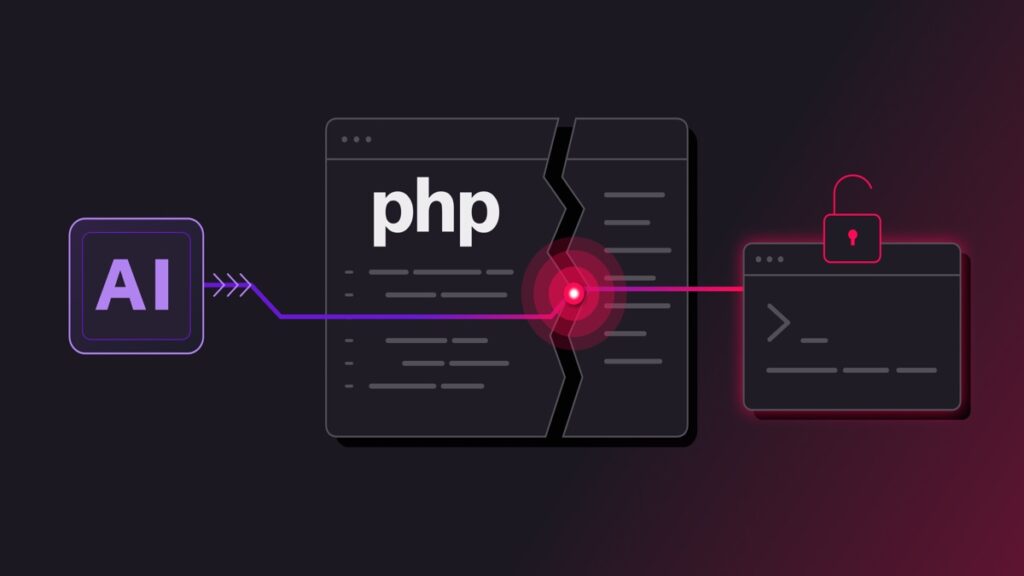
Two bugs in PHP, the software that turns most websites into pages, let an attacker run their own code on a server without logging in. They were found in October 2026. The fixes went out on 21 October, and by then attempted attacks had already been seen in the wild. If your site runs PHP 8.2.35, 8.3.36, 8.4.27 or 8.5.12, you are past it. If it runs anything below those numbers, that is the only thing worth checking today.
What the bug did
PHP handles every request by keeping some working memory for it. Two flaws, CVE-2026-109618 and CVE-2026-109619, meant that memory could still be used after a request had finished, or read before it had been set up properly. A request built a certain way could then push PHP into running code the attacker sent, with no password and no account. Security researchers named the pair php2shell.
The pair scored 9.2 out of 10 on the standard severity scale, and both are classed as remote code execution with no login needed, which is the worst combination a server bug can have. The PHP project published a security release and rated Apache running PHP as an embedded module the highest risk, because of how closely it ties into the web server process.
Why a PHP bug is not only a PHP problem
WordPress is written in PHP. So are its plugins, its themes and most of the tools your host puts around it. A hole in PHP sits underneath all of it, which is why the advisories went out to hosting companies and container vendors rather than to bloggers.
The CISA alert lists every common way of serving PHP as affected: Apache with the PHP module, PHP-FPM, php-cgi, FrankenPHP and LiteSpeed. If your site answers to any of those, it runs PHP, and it needed the patched build.
The week it happened
- 17 October. Reporting afterwards said Amazon saw exploitation attempts against its sensors four days before the fixes existed, which means people were already probing for this before the public knew what it was.
- 20 October, around 15:00 UTC. The two CVE numbers began circulating online with no technical detail attached. The PHP project pulled its pre-announcement forward and published it that evening, and moved the release date up by a day.
- 21 October, 07:41 UTC. A container vendor shipped images containing the fix roughly six hours ahead of the agreed time, against the plan the researchers had spent weeks arranging.
- 21 October, 14:00 UTC. The patches went public in PHP 8.5.12, 8.4.27, 8.3.36 and 8.2.35, with minimal backports for the older 7.4, 8.0 and 8.1 lines.
- 21 October. CISA issued its alert asking for immediate patching, and said at that point it had not confirmed a successful compromise.
- 22 October. Vendors published their own advisories, F5, Citrix and QNAP among them. WordPress published guidance saying plainly that no WordPress update is required or planned, because this is a server problem.
- 23 October. CISA added a detection rule for spotting exploitation, and national cyber agencies in the UK, Canada, Australia and New Zealand issued their own alerts.
Which versions were affected
| PHP line | Safe version | Status |
|---|---|---|
| 8.5 | 8.5.12 | Current line |
| 8.4 | 8.4.27 | Supported |
| 8.3 | 8.3.36 | Supported |
| 8.2 | 8.2.35 | Oldest supported line |
| 8.1 and older | No fix from PHP | Backports from your host only |
Anything below those numbers in its own line was affected, so 8.2.33 was vulnerable while 8.2.35 was not. That one digit is the whole difference between a patched site and an open door.
What happened on my own site
This site runs on LiteSpeed with PHP 8.2. On 22 October I checked the response header and it said 8.2.33, which sat inside the affected range. By the evening the same header said 8.2.35. My host, MilesWeb, had patched it during the day without me asking.
I went looking anyway, because a bug that lets strangers run code is worth ten minutes. Two user accounts, mine and the editor login, both created in August. Four plugins, all expected. One theme. Nothing that should not be there. I have written before about what a 503 during patching does to your rankings, and the same logic applies here. A short outage while PHP is swapped out is cheaper than a month of cleanup.
What to do if you run a site
- Find your version. In WordPress it is under Tools, Site Health, Info, Server. In your host panel it is usually a PHP selector. Write the exact number down, not just 8.2.
- Compare it. Below the numbers in the table means ask your host to move you today.
- Ask two specific questions. Which patched build am I on, and have you applied firewall rules for the two CVE numbers while any server is still catching up.
- Change your passwords once you are patched. Your admin password, and any application passwords or API keys the site uses. Cheap insurance if you were on an affected build for a few days.
- Ask for the logs. Request the access logs for 20 to 23 October and a malware scan, especially if anything about the site looked strange this week.
- Ask them to hide the version. Your server probably announces its exact PHP version in a response header. That is free reconnaissance for anyone scanning, and turning it off costs nothing.
The two things worth remembering
The PHP Foundation said AI tools have surfaced more PHP bugs than before, with 15 new CVEs published since 1 July. That is the first thing. The second is that the disclosure leaked a day early, so the patches arrived before the date everyone had agreed on, and exploit attempts began before many hosts had shipped the fix.
Neither of those is unusual now. Bugs get found faster than they can be coordinated, and the window between a leak and exploitation is measured in hours.
The short version
Check your PHP version. If it is patched, close this and get on with your day. If it is not, that is the one thing worth doing this week, and your host can do it for you in a few minutes.