A scheduled WordPress post that misses its slot is a cron problem until proven otherwise, and the proof is not a 200 from wp-cron.php. That request can succeed while the task inside it never runs, which is the failure that costs a day of publishing without an error anywhere.
How a scheduled post publishes
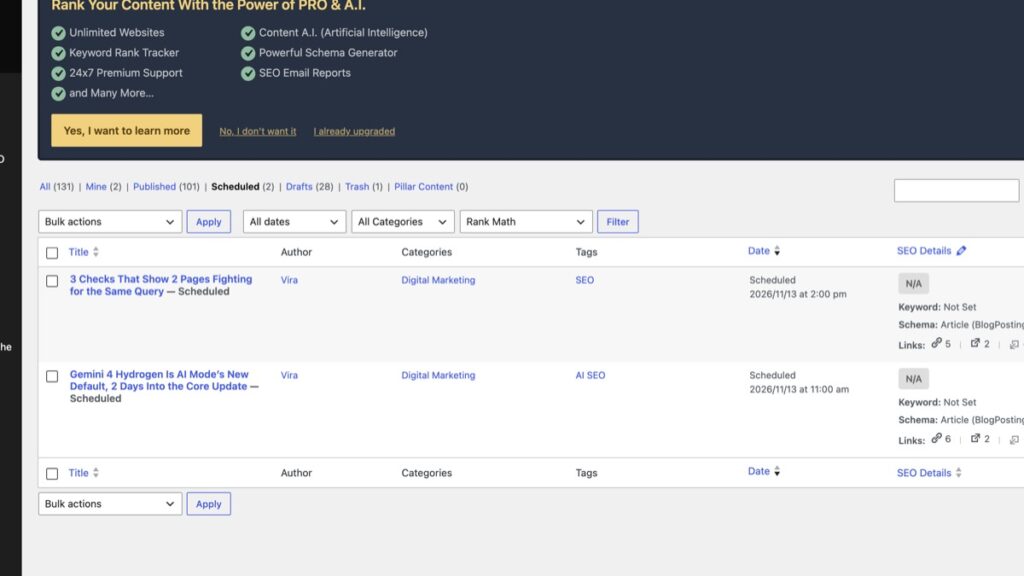
WordPress publishes a scheduled post through WP-Cron, which is not a system cron. The WordPress cron handbook says it checks a list of scheduled tasks on every page load and calls anything due during that page load. No page load and no request means no publish, which is why a quiet site misses slots and a busy one does not.
Most shared hosts fix that by calling the file on a timer, usually every 5 minutes. That entry is a separate thing from WordPress, and it can be missing, broken or pointed at a different domain.
Check 1: find out what is meant to trigger the scheduler
- Look for
DISABLE_WP_CRONin wp-config.php. When it is set to true, page loads stop triggering the scheduler and something external has to call wp-cron.php instead. - Open the host’s cron list. The usual entry is a 5-minute job requesting
/wp-cron.php?doing_wp_cronon the live domain. - Request that URL yourself and read the status code. A 200 says the file was reachable. It says nothing about whether a task ran.
Check 2: watch a post change, not a request succeed
The probe that answers the question is a throwaway item scheduled a few minutes ahead. A page works better than a post here, because pages never enter the feed or the post sitemap and nobody sees them.
- Create a page with a publish time a few minutes out and note its id.
- Read it back and confirm the status is future.
- Wait past the time, then read the page again. If it is still future, request wp-cron.php once.
- If the status flips to publish while you never touched the page, the scheduler works and the missing post has another cause.
- Delete the probe page.
Check 3: confirm the stored date is the date you meant
WordPress keeps 2 date fields. One is site local time and one is UTC, and the site timezone setting decides the gap between them. A timezone that is hours out moves every future post by the same amount, so a post set for 17:00 goes out at 11:30 with no error and nothing in a log.
The site timezone lives in Settings, General. Set it first, then re-read the post, because the stored local time does not move when you change the setting.
There is a second trap in the REST API, and it catches automated publishing. A post created with a future date that has already passed publishes immediately instead of queueing. A run that takes longer than expected therefore does not produce a scheduled post at all, it produces a live one.
What the 22 October 2026 miss looked like
On 22 October 2026 on this blog, 3 scheduled posts sat past their slot and wp-cron.php answered 200 in 0.17 to 0.46 seconds on every request. The file was reachable and fast. The tasks inside it were not running, so the 3 posts went out only when they were published by hand.
Three days later the same check proved the opposite. A post flipped from future to publish inside a run that never touched it, and its modified stamp stayed at the earlier creation time. Those 2 fields together are the clean proof. A recent modified stamp on its own proves nothing, because it can come from a content edit by anyone.
When the scheduler is fine and the post is not
An empty queue is not a cron fault. It means nothing was waiting, and publishing by hand then fixes a symptom nobody had.
The rest of the stack behaves the same way, which is why the same discipline works elsewhere. A cache that will not clear is proved by a changed page, not by a purge button. A DNS move to a CDN is proved by the answer the resolver gives, not by the dashboard. A backup is proved by a restore, not by a green tick.
The version of this that bites hardest is the one where the schedule itself expired. A recurring job that holds a single occurrence fires once and never again, and the site has nothing wrong with it at all. The same lesson shows up in a migration, where the DNS change is the last step and not the first.
Everything else on this beat sits in the WordPress care hub.