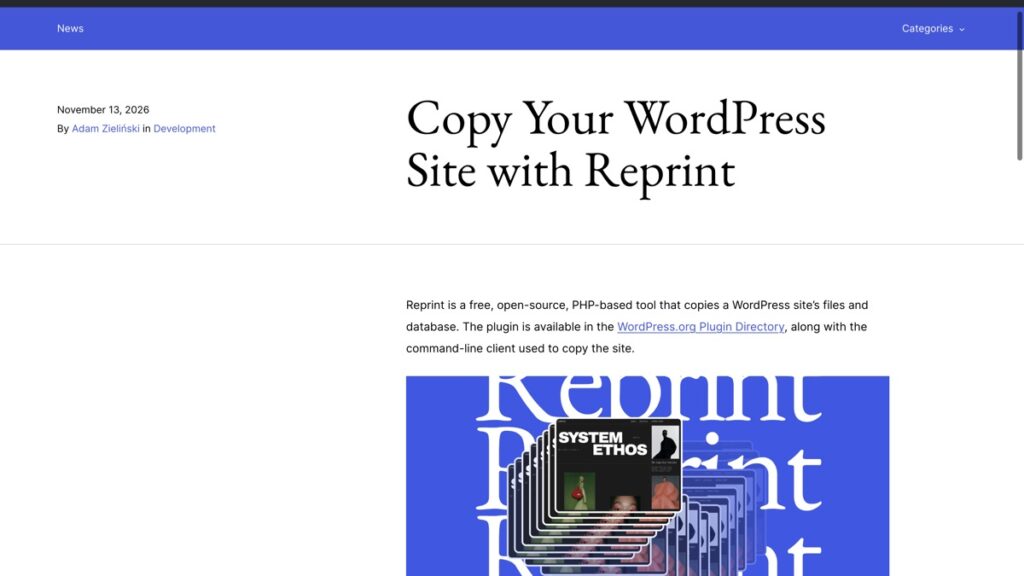
WordPress announced Reprint on 13 November 2026, a free and open-source tool that copies a site’s files and database. It fills a gap that has sat open for years. Tools, Export has always handed over posts and pages, and a move needs the theme, the plugins, the uploads and every setting as well. The plugin is in the WordPress.org directory and there is a command-line client alongside it.
What Reprint copies and how it moves
- Files and the database, sent directly to the computer or server you choose, with no outside service in the middle.
- A transfer that starts without the old host needing room for a full-site archive first.
- Resume from the last saved point when a connection drops, which matters on a shared host with a large uploads folder.
- Link rewriting when you give it a new site address, applied to the copied database, including links inside site settings, blocks, shortcodes, serialized data and custom fields.
- Repeat copies that compare against the previous run and move only the files that changed.
The link rewriting matters more than it sounds. A plain search and replace breaks serialized data, because the stored string carries its own length, and a broken serialized row is the classic way a migrated site loses its widgets and theme options.
There is also a browser option in WordPress Playground, marked experimental, that clones a demo site so you can watch the process run before you point it at anything of your own.
Check 1, can the destination run the site as it is
A copy is only a test if it runs under the same conditions as the original. Before you start, compare the PHP version, the database version and the disk space at the destination with what the live site uses now.
This is the check that catches a host running an older PHP than the plugins expect, and it is cheaper to find before the copy than after. Two versions of PHP on the same site is a normal situation in 2026, and it is the source of a specific kind of bug where a page renders on live and dies on the copy.
Check 2, what still points at the old address
Rewriting the database leaves everything outside it untouched. Four things to look at on the copy:
- Rules in .htaccess or the host’s Nginx config that name the domain or a path.
- Any hardcoded path or URL in wp-config.php, including a content directory if you moved it.
- Cron entries on the server, which will keep hitting the old site until they are repointed.
- CDN and DNS settings, which do not travel with the copy at all.
This is the same list that decides how a real migration goes. The checklist I use changes DNS last for the simple reason that everything else has to be ready before the domain moves.
Check 3, is this a copy or a backup
These two get confused in the same conversation. A copy is a working site you can log into, change and break. A backup is a restore path you never edit.
The practical consequence is that a copy inherits the parts you do not want running twice. A live plugin set includes mail settings, so a test copy that sends order emails will send them to real people. The copy also wants to stay out of search, which means a noindex on the copy rather than a prayer.
If the copy exists so you have something to restore from, it is the wrong tool. A backup has to hold what the host deletes, and that is a different job from a site you can open in a browser.
Why this arrives at a useful moment
WordPress is between releases. 7.2 has been in beta through November, with Beta 5 going out on 10 November 2026. This site is on 7.1.4, the maintenance release from 28 October 2026. That makes the next few weeks the window when a test copy earns its keep.
Testing a core update on a copy of your own site is the least glamorous use of Reprint and the one that pays first. Plugin conflicts after a core release are normal, and a copy is how you find out which plugin breaks before your readers do. The 4 checks before installing a plugin answer the earlier question, whether it belongs on the site at all.
How a move would run with Reprint
The order in WordPress’s own guide is sensible and worth copying. Copy the site to the new host while the old one keeps serving visitors. Open the copy and check that pages load, images appear and forms work. Then pause changes on the original, take one final copy, and point the domain.
Pausing changes is the step people skip. A comment left on the original after the last copy is a comment the new site never sees, and nobody notices until a reader asks why their comment vanished.
The same order applies to the 3 steps before DNS goes to a CDN, because crawler traffic rises on day one and the copy has to absorb it without a 503. Scheduled posts are the other quiet casualty of a move, since a copy carries a queue that may or may not still fire.
What I would do first
I have not moved a site with Reprint yet, so the checks above are the ones I would run before trusting it with a client’s migration. The first move is small on purpose. Copy this blog to a local machine, open it, and watch what breaks. A theme with a licensed plugin, a form that posts to an external service and an image optimiser with an API key are the three things most likely to complain.
Then copy it a second time to see how much the incremental run actually moves. If the second copy is quick and the site opens clean, the tool has done the part that used to take an evening.
Reprint is at the WordPress.org announcement, with the how-to at the move guide. The WordPress care hub collects the rest, including the 5 cache layers worth clearing in order when a copy looks stale.