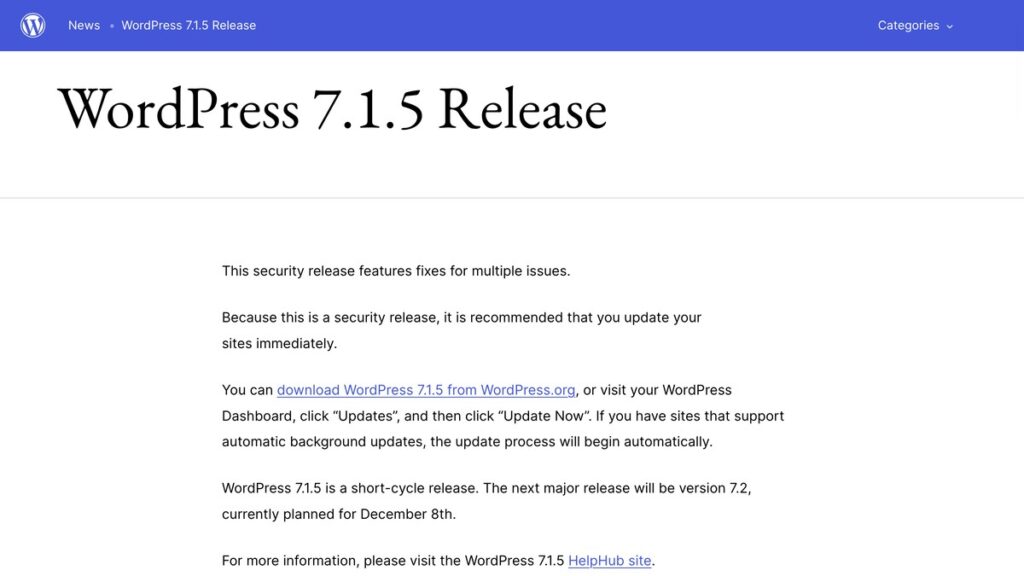
Update WordPress today. The 7.1.5 release on 18 November 2026 closes 18 vulnerabilities, and three of them need no account at all to exploit, which means a stranger with a browser is enough.
I read both the official list and the coverage this morning, and the shape of this release is different from the usual round of plugin problems. Two of the three no-login flaws sit in features most people never think about.
The one that matters most sits in the Template Part block
Search Engine Journal’s write-up singles this out as the worst item in the release. It is an unauthenticated privilege escalation in the Template Part block attributes, and from there an attacker can reach remote code execution.
Remote code execution means someone else runs their own commands on your server from outside. On a WordPress install that usually becomes a new admin account, a backdoor file in the uploads folder, or injected links on pages you never touched.
The Template Part block is part of the site editor, so if you built a block theme or edited templates in the last year, your site uses the feature even if you never opened that block by name.
The other two that need no login
The second is stored cross-site scripting through shortcode attributes in comments. Stored XSS means the bad code sits in your database and runs in the browser of whoever loads the page, including the administrator who opens the comment queue. That is how a comment turns into an account takeover.
The third is a denial of service through batched XML-RPC pingbacks. Nobody gains access here, they just make the site stop answering, which for a small business site is the same as being offline.
| Flaw | Where it sits | What an attacker gets |
|---|---|---|
| Privilege escalation | Template Part block attributes | Remote code execution on the server |
| Stored XSS | Shortcode attributes in comments | Code running in an admin’s browser |
| Denial of service | Batched XML-RPC pingbacks | The site stops responding |
The rest of the release
the release post on WordPress.org carries the full list, and a few entries there are worth reading twice. An unauthenticated information disclosure exposed private taxonomy terms through the REST API search endpoint, reported by Anthropic. A second disclosure via the REST API gave editor-level users post and template author data they should not see.
There is an SQL injection in WP_Meta_Query through nested relation values, and another in the Customizer changeset previews through the front page setting. A multisite flaw lets an administrator on one site in the network take over the whole network. A permission bypass lets a user edit comments beyond what their role allows.
Two block editor XSS holes are in the list as well, one through Openverse image metadata and one through media filenames when a media block is converted to a file block. Those need a contributor account to start with, so they rank below the no-login three.
How I checked my own site
I pulled the page source on my own domain this morning and the generator tag reads WordPress 7.1.5, so the background update already ran. On yours, open the dashboard and look at Updates. If the number is lower than 7.1.5, press Update Now and do not wait for the weekend.
The one exception in the release notes is older branches. Fixes were backported to every version still eligible, currently through 4.7, but those packages ship as they are ready, so a site on 6.9 or earlier gets a partial answer at best. Only the current version is actively supported.
Why this is the one update I do the same day
I usually give plugin updates a week, because a broken layout costs a client more than a theoretical risk. Core security releases are the exception. The exploit for a flaw like this is public the day the patch ships, and scanners run through the whole internet looking for the version number.
If a site has already been sitting on an old version for weeks, updating is necessary and not sufficient. Check the user list for an account nobody recognises, look at files in uploads with a PHP extension, and read the access log for POST requests to admin-ajax from odd addresses. I keep the server and plugin work together in WordPress Care, and the post linked below walks through that check in order.
Sources
the release post on WordPress.org, 18 November 2026, by Jeremy Felt. Search Engine Journal’s write-up, 19 November 2026, for the count of 18 vulnerabilities plus two hardening changes, and for the remote code execution detail.
Also read: What a Compromised WordPress Site Looks Like, and How to Check Yours, 4 Checks That Prove Your Sitemap Still Works in Chrome 158 and WordPress 7.2 Ships 1 Bare Default Theme and a 50-Pattern Flagship.